

Why I don’t use accessibility overlays (and why you shouldn’t either)
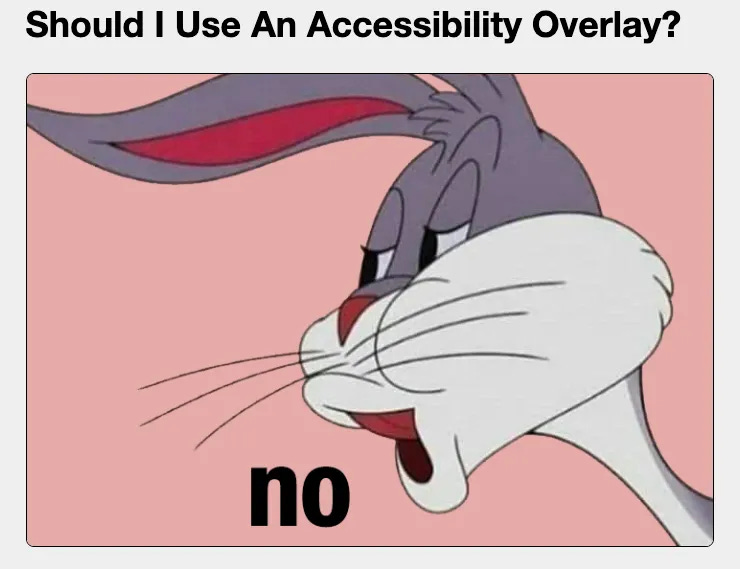
Should you use one? No, no and no.

I was stunned by something that landed in my inbox this week.
It was a request for proposals (RFP) for a big conference happening in Liverpool.
Right there in the brief: “We want to be leaders in accessibility and inclusion.”
Awesome!
I thought: “how blessed I am to get to work in a world where people understand and value accessibility?”
I mentally high-fived the organisers.
A unicorn danced over a rainbow, and all was well in the world.
So I went to look at the RFP on their website.
ARGH!

Their website had an accessibility overlay.
Sigh.
If people who are genuinely trying to do their best think an accessibility overlay is useful… we’ve got a problem.
The organisers of this conference clearly care about accessibility.
They’re paying a monthly subscription fee for that overlay. They’ve sent out an RFP for an accessibility consultant.
So let me set out plainly what overlays are and why they cause harm.
What an accessibility overlay is
An accessibility overlay is a piece of third-party script (typically JavaScript) you drop onto a site.
It promises to “fix” your accessibility automatically.
It usually shows up as a little icon, or floating toolbar, in the corner of the webpage.
It lets people change details like font size, contrast or spacing.
The promise is compliance and inclusion with no real work. The reality is… the opposite.
Overlays do not fix the barriers
Overlays sit on top of your site. They do not rewrite the structure underneath.
And the things that genuinely lock disabled people out - missing alt text, unlabelled form fields, no captions or transcripts, no keyboard access, inaccessible PDFs and video - are precisely the things an overlay can’t reliably repair.
Automated tools only detect around 30% of accessibility issues in the first place.
And once they detect problems, they paper over them. Often in a way that causes much bigger problems than the one they were trying to fix!
(It would be funny if it wasn’t so depressing).
Accessibility overlays often make access worse
Overlays interfere with the assistive technology disabled people already rely on - screen readers, magnifiers, browser and operating-system settings.
Overlays and widgets duplicate or override useful and usable tools.
They often break them.
Completely. I’ve lost count of how many of my disabled friends and colleagues say “I can not go on that website, at all. It’s not even difficult to navigate. It’s impossible.”
That’s why many disabled users actively block overlays.
Do people realise this, when they sign up and pay for an overlay? That they’re paying for something that will do more harm than good. And the very people they think they’re helping are either going to be inconvenienced by that tool, or have to block it just so they can access the original version of the site.
If I were writing a strapline for accessibility overlays it would be something like “Like wasted effort? You’ll LOVE our pointless technology!”
Sorry to break it to you, but if:
You add a tool “for accessibility”
People have to switch off in order to use your site.
That’s not accessibility. And I’m going to need to work out how to swear without triggering email filters, before I can accurately describe my feelings on this topic.
Disabled people have told us, repeatedly, that they don’t want them
Not just my opinion!
In a survey by WebAIM, 67% of respondents rated overlays as not effective, rising to 72% among respondents who are disabled.
Over 800 accessibility professionals (I’m one of ‘em) have signed a commitment to educate people on the harms that overlays cause.
Learn more, and add your name to the Overlay fact sheet.
Among the signatories are people who literally built the guidelines on accessibility (contributors to the WCAG, ARIA and HTML specifications.)
The US National Federation of the Blind passed a formal resolution calling overlay vendors’ claims misleading, unproven and unethical. When the people a product claims to serve are the ones campaigning against it, that tells you what you need to know.
Overlays increase your legal risk
Overlays claim to protect you from lawsuits. They do not.
In 2024, UsableNet recorded more than 1,000 lawsuits filed against organisations that were using an overlay - around a quarter of all web accessibility lawsuits that year named the widget itself as a barrier.
Overlays do not shield you.
They actually make you a target. They’re evidence that you knew accessibility mattered and chose a cosmetic fix.
In January 2025 the US Federal Trade Commission fined the overlay company AccessiBe $1 million for deceptive advertising (including fake reviewers posing as real customers).
Overlays treat the most important people as an afterthought
That’s why I was so stunned to see that conference brief.
You can’t bolt an overlay on to your site at the same time as trying to be a “leader in accessibility.”
That treats disabled people as an afterthought to be managed with a quick fix. They’re not. Your users are the most important people, and you need to build everything around them.
Accessibility is an ongoing process of building for the people who matter most, paying attention to what works for them, listening deeply to their feedback, and adjusting to meet their needs.
You can’t slap a widget on a broken site and call it inclusive.
What to do instead
Build accessibility in from the start. It’s not that complicated, I promise.
Build standard HTML pages. Build them right. Don’t weigh them down with complex modifications.
Maintain it.
Maintain your site the way you maintain everything else you take seriously - security, design, testing.
Test with real disabled people.
(Don’t rely on not-yet-disabled folks guessing!)
When things go wrong, fix them in the “old-fashioned” way.
(Am I becoming one of those people who calls a phone call a “vintage phone call” and a notepad an “analogue note-taking device”? I just mean: do it step by step.)
It’s more work than a line of JavaScript. And that’s kind of the point.
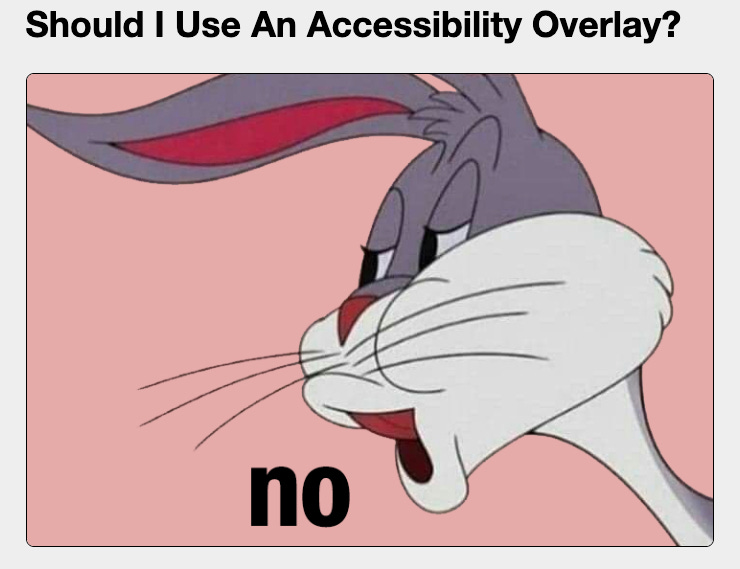
Look, I can’t say it better than Michael Spellacy does, in Should I Use an Accessibility Overlay?
Should I use an accessibility overlay?
No.
There’s tons more to say on this topic! Check out the overlay fact sheet to learn more.
Work with me
I’m working with a health start-up, a charity supporting older people, and a cancer charity at the moment on:
navigating “difficult conversations”
protecting busy teams from information overwhelm
building teams of super-communicators (replacing clunky misunderstandings and cliques with clear, kind, effective communication).
Need support? Get in touch!
Hit reply or fill out my “work with me” form. I’d love to learn more about you. 😊
Great post! I always share the resource https://overlayfactsheet.com/ - it has many of the points made in this post, along with user quotes, and a list of over 1000 accessibility professionals against overlays. (You can add your name too!)
Thanks so much Ettie! I saw a friend ask for a recommendation for this for their website, and thought I was missing something I needed. I stand corrected!